Step-by-step guide
Set Up M-Pesa STK Push in AiWeapX POS
M-Pesa integration lets the POS initiate an STK Push to the customer phone during payment.
1. Open M-Pesa Integration
Go to Settings and open M-Pesa Integration.
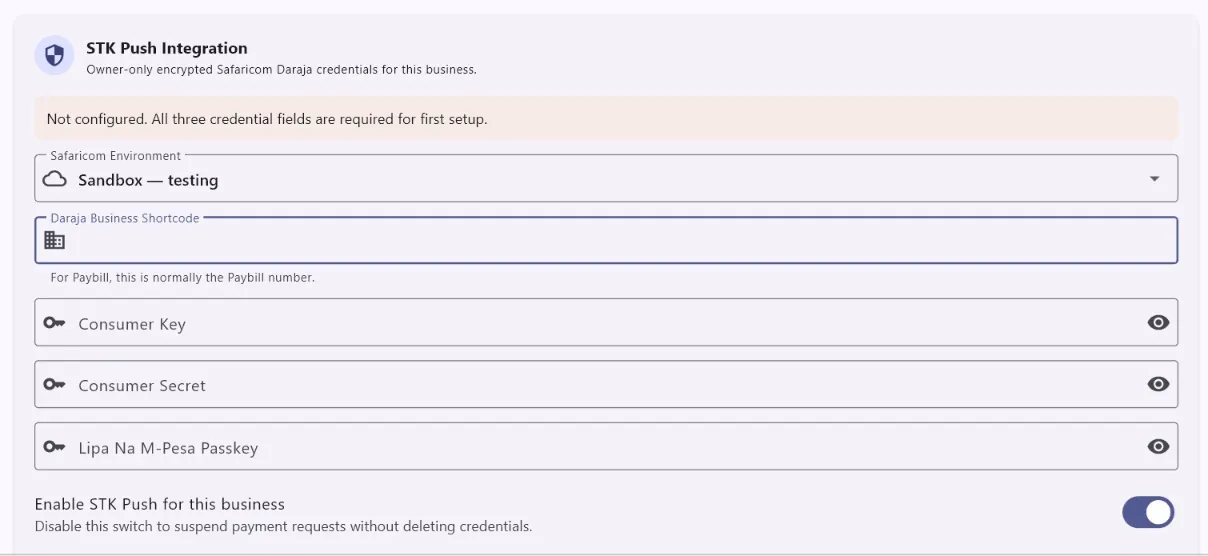
2. Enter the M-Pesa configuration
Enter the required business and API details supplied for your M-Pesa integration, then save. Save.
3. Use M-Pesa at checkout
When completing a sale, choose M-Pesa, confirm the customer phone number and send the STK Push. Complete the sale only after payment is confirmed.
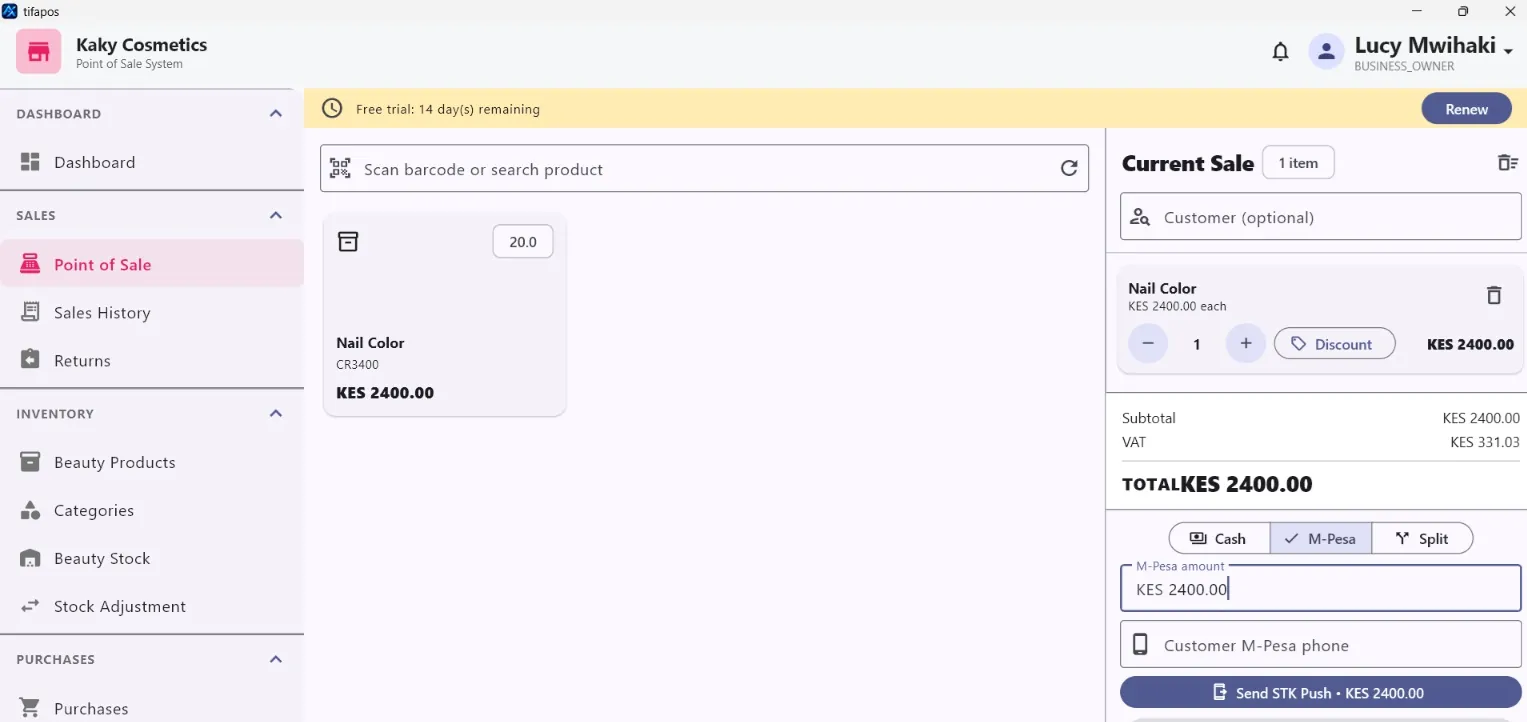
Important: confirm that the customer has completed the M-Pesa payment before treating the sale as paid.