Step-by-step guide
Customers & Employees in AiWeapX POS
Customer and employee records make it easier to track transactions, responsibilities and access.
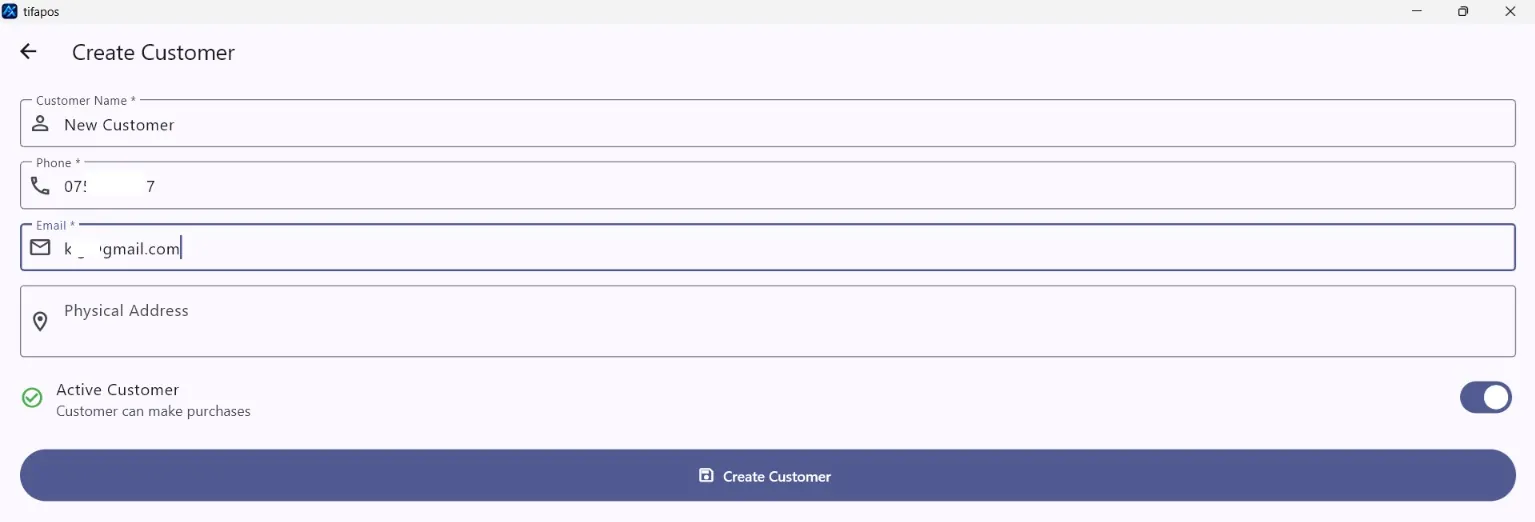
1. Create a customer
Open Customers, click the add customer button, enter the customer details and save. Add Customer.
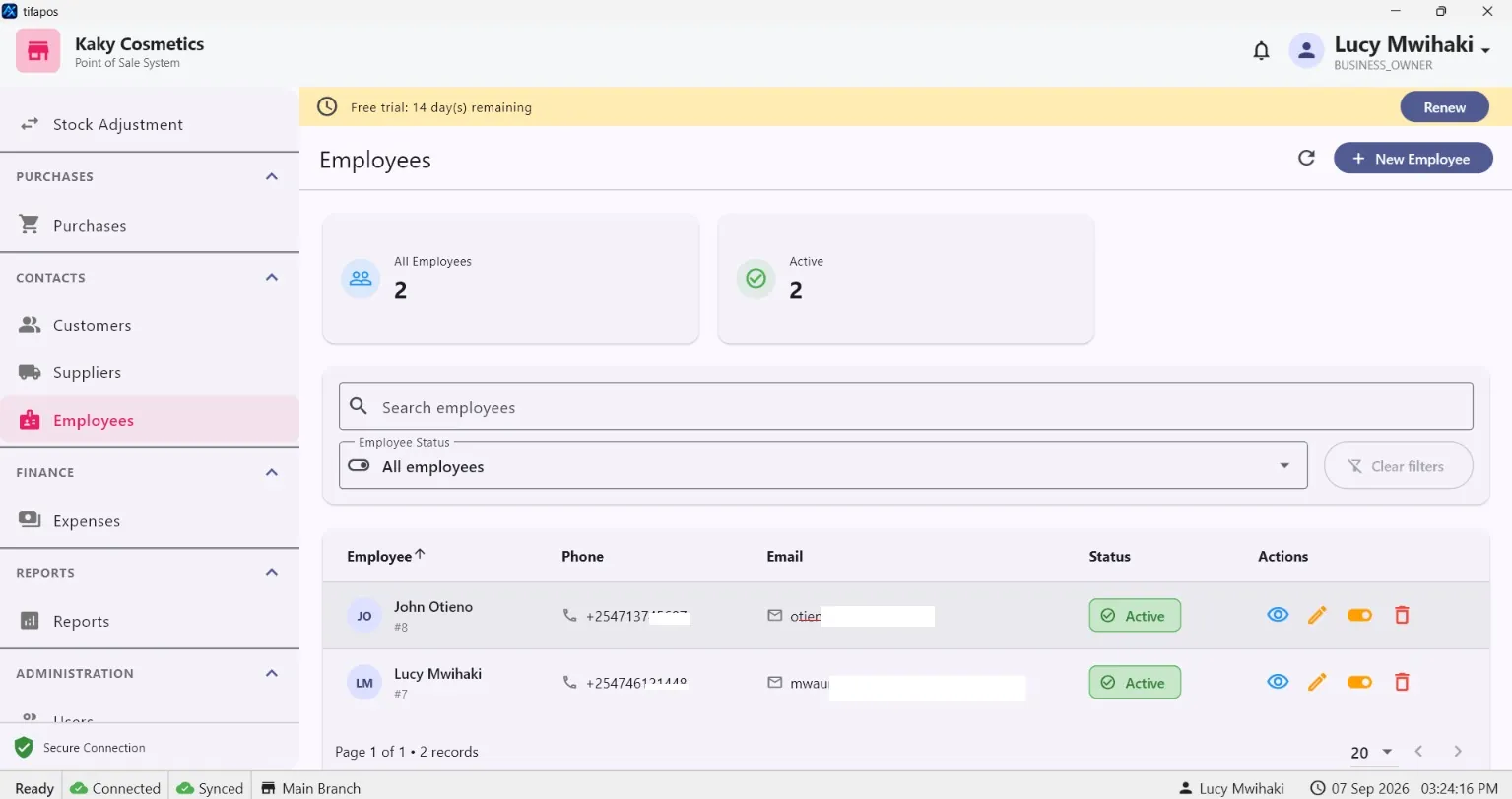
2. View employees
Open Employees.
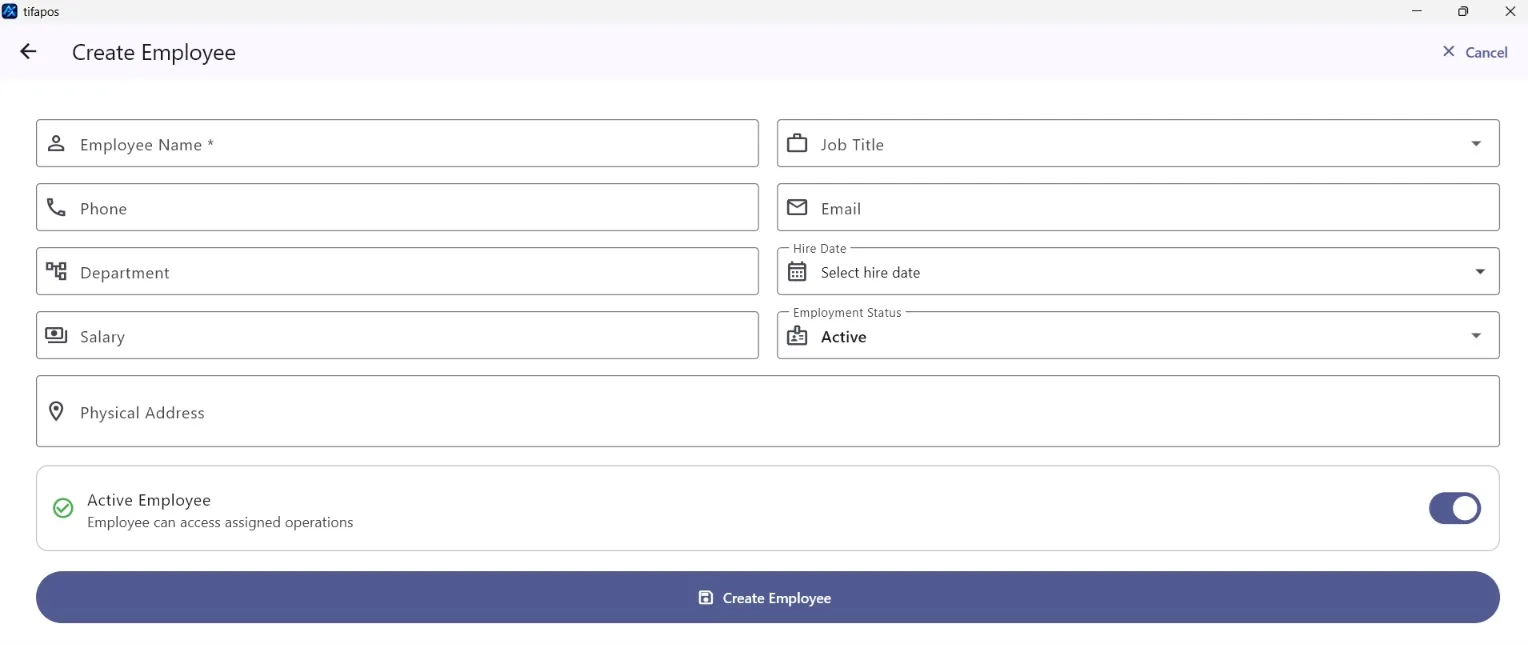
3. Create an employee
Click the add employee button, complete the employee details and save. Add Employee.