Step-by-step guide
How to Make a Sale in AiWeapX POS
Use Point of Sale for everyday checkout. The basic flow is: add items → confirm quantities → choose payment → complete sale.
On this page1. Open Point of Sale2. Add products to the cart3. Complete payment4. Print or view the receipt
1. Open Point of Sale
From the main menu, open Point of Sale.
2. Add products to the cart
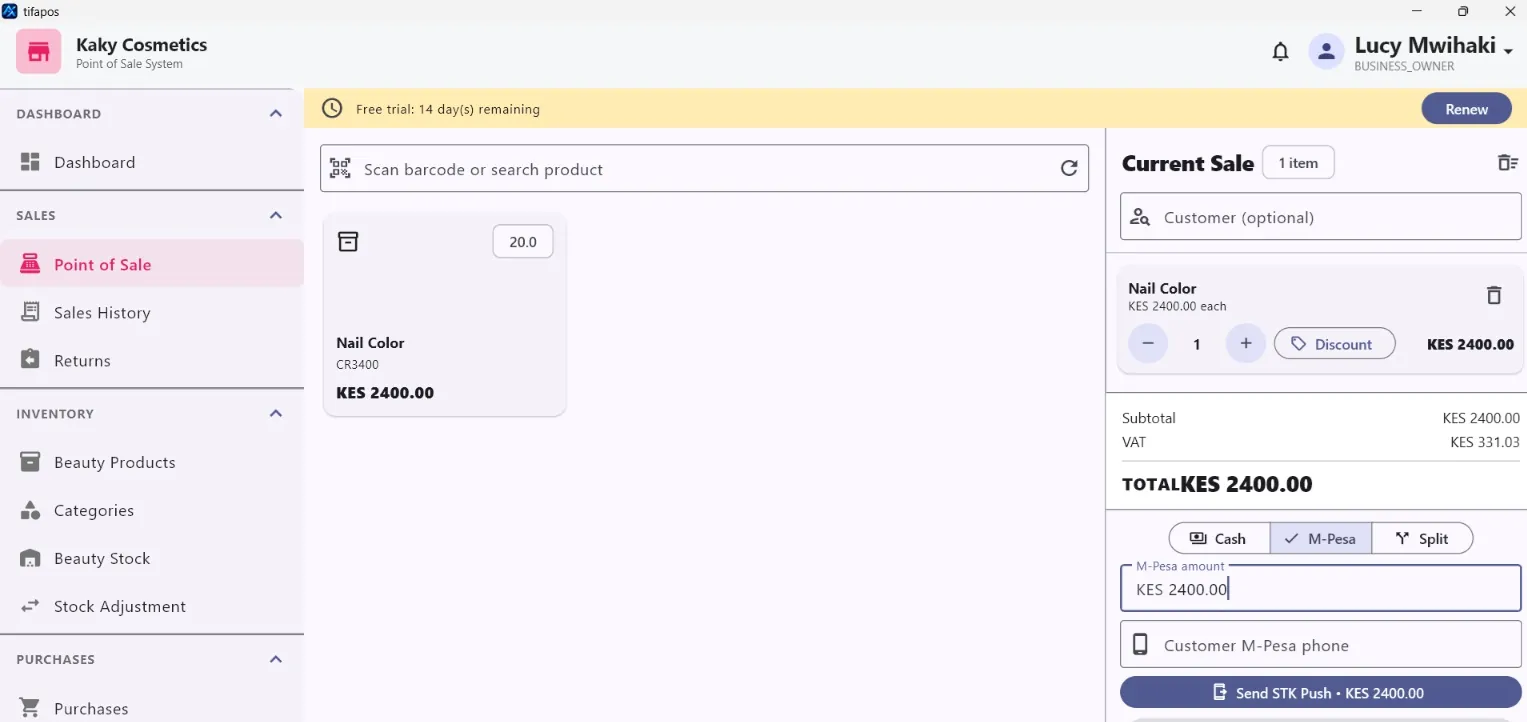
Search or select a product. Add the required quantity and check the cart total before payment.
3. Complete payment
Choose the customer payment method. For M-Pesa, follow the STK prompt; for cash or other methods, enter the required payment details and complete the sale.
4. Print or view the receipt
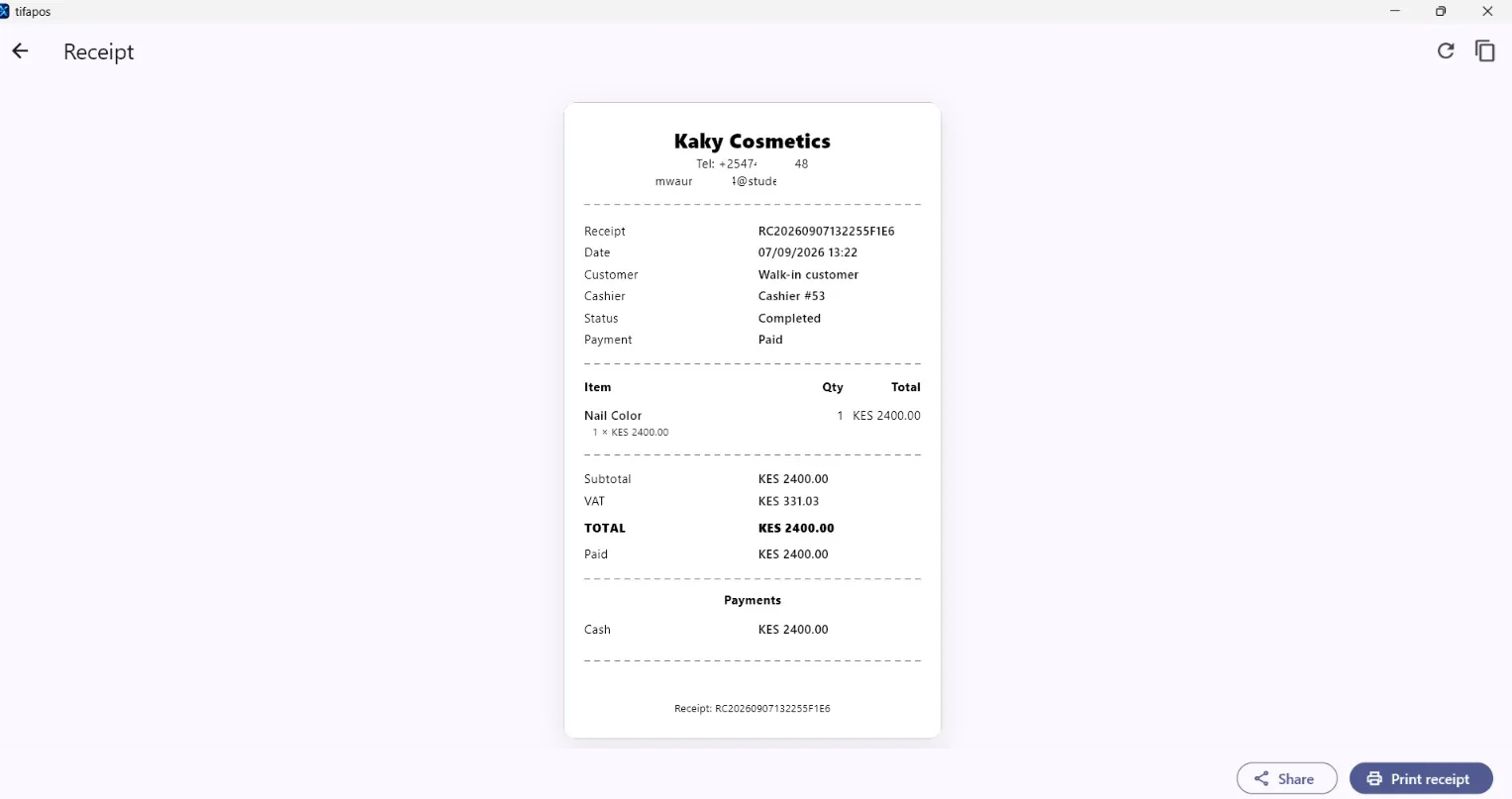
After the sale is completed, use the receipt option to print or review the customer receipt. Print Receipt.